Showing posts with label designing. Show all posts

Photoshop Album Starter Edition 3.2

Portable Photoshop Album Starter Edition 3.2

Photoshop Album Starter Edition 3.2 PortablePhotoshop Album Starter Edition 3.2 Portable | 8.9 MB

Adobe Photoshop Album Starter is the same basic module that is used as the Organizer in the Adobe Photoshop Elements 4.0 program. minus these capabilities:

1- send images to Palm Handheld
2- A full featured quick fix graphic edit window -there is a smaller smart fix dialog;
3- Available are create calendar, slideshow, greeting cards, photo stamps, and photo books (the latter two are extra charge services for which you will need a connection to the Web); BUT NOT detailed user-customized greeting card, CD slideshow burn, album pages, user customizable calendar pages, user customizable Web gallery;
4- favorites and other tags BUT NOT 5 stars or user customizable;
5- tags and collections BUT NOT stacks and versions.
As you might expect for free software, Album Starter has many of the pay for services features but inevitably lacks the refining features.


But Photoshop Album Starter certainly over-achieves on two of our four requirements. The organizing of Photos adds tags, collections, and a helpful calendar view along with a big plus - instant slider control of thumbnail sizes. Also Album Starter allows users to create slideshows to full screen or PDF for convenient email or LAN delivery. But there is no burn CD or DVD capability. And the editing of individual images is a bit too auto-this-and-that. However, the price and pedigree are right.

JAlbum - Mac, Win, Linux, Solaris - 600 seconds to load 900 images to a Web gallery

This is a very attractive Web Album creation program - its is very fast and runs on all the major desktop platforms. However, we had so many problems getting it to upload file properly (it always threw in mysteriously an extra folder or three) that we have had to say go slow on this one. As soon as the code stabilizes out we will do an updated review.
Here are some key features of "Adobe Photoshop Album Starter Edition":

Cameras
· If your camera is not recognized by Photoshop Album Starter Edition, remove the memory card from the camera and insert it into a card reader, or get Photos from the camera by using the vendor-provided software to copy them to the hard disk, and then import them into Photoshop Album Starter Edition from the hard disk.
· Do not write-protect memory sticks before importing the photos into Photoshop Album Starter Edition.
· Avoid TWAIN drivers for cameras. Use WIA drivers or mount as a mass storage device whenever possible. You may get duplicate images using Twain driver of digital cameras.
· In some Fuji cameras, the photos may initially display rotated in the Get Photos window and the Photo Well. It will appear correctly after the application refreshes the thumbnail.
· With certain HP cameras, say HP Photosmart 945, you may not be able to get MPG files(video) using Adobe Photo Downloader. To solve this problem, go to "Setup menu" in your digital camera and set "USB" to "Disk Drive" option. Alternatively, you can download MPG files using HP Unload software
· Certain .MOV files may not work correctly and may crash the software. This happens because of certain conflicts between different Codecs. We observed this behavior in certain .mov files using NDParser.ax (a codec used by Ahead Nero).

Importing Photos
·
When importing large number of photos, import them in batches of no more than 15,000 at a time.
· Errors will occur if you import a PDF that was created using photos in your own catalog whose originals are on a CD. Instead of re-importing photos contained in such a PDF created using offline photos in your own catalog, simply use the photos that already exist in your catalog.

Contact Book
· Contact book is no longer available in this version of Adobe Photoshop Album Starter Edition 3.2. If you were using Contact book in an older versions of this software, then you can manually save the contacts from the following file: "(Cocuments and SettingsAll UsersApplication DataAdobePhotoshop AlbumSettingscontacts.xml)". This file can be opened using one of the following programs: Ms-Excel, Notepad, or Internet Explorer 6.0.

Email Clients
· Photoshop Album Starter Edition can create email messages with AOL, Eudora, Hotmail, Outlook, and Outlook Express. If you use a different email client or service, select “Other” in Photoshop Album’s email preferences and the attachment will be written to disk.
· If using AOL, you must have AOL set as your default client for it to work properly with Photoshop Album Starter Edition.
· If using Hotmail, problems may occur if you attempt to attach multiple individual photos. Use the PDF option to combine all the photos into one PDF file.
· When using Hotmail to send an attachment for the first time, you will be prompted to download and install the Hotmail Attachments Control. You must say Yes to this.
· Hotmail and other email clients may limit the total size of your attachments. This is specific to them, and you must choose file size settings in the email dialog to conform to your email client.

Printing
· If the default printer is changed in Windows while Photoshop Album Starter Edition is running, Photoshop Album Starter Edition may not detect the change until it is closed and restarted.

Rotation
· Photoshop Album Starter Edition will sometimes create an edited copy of a photo while rotating, even if it could have been rotated without any degradation (losslessly). To correct this, revert the photo to original, then rotate again.

Fast User Switching
· When switching between multiple users accessing the same catalog, do not switch users when in the process of entering text (such as for a caption or note), or the text entry will be lost. Click out of the text field before switching users.

Running Adobe Photoshop Album Starter Edition Over a Network
· Adobe Photoshop Album is not designed to be run when Windows is multi-launched over a network.
· You can access photos from network drives if they are mapped to a drive letter, but Adobe Photoshop Album cannot store any of its working files on network drives.

Requirements:
· Intel Pentium III, 4, or faster processor (500MHz minimum)
· 128MB of RAM (256MB recommended)
· 50MB of available hard-disk space
· Microsoft Internet Explorer 6.0
· Color monitor capable of displaying thousands of colors at a resolution of 800x600
· CD-ROM drive
· Microsoft DirectX 8.1 or 9.0
· QuickTime 6.5.1
· Adobe Reader 6.0 software for viewing Adobe PDF slide shows

Download - RapidShare

Arles Image Web Page Creator 7.4.2

Portable Arles Image Web Page Creator 7.4.2

Arles Image Web Page Creator 7.4.2 PortableArles Image Web Page Creator 7.4.2 Portable | 5.6 MB

A software application that helps you to uickly create image collections on the web Use Arles Image Web Page Creator to quickly and easily create image collections on the web. Arles creates high quality thumbnails, modifies images and automatically creates HTML pages.

You can fine tune images and HTML pages using one the many available options or use templates for full control over the pages. Arles supports 20+ image file formats and includes the Arles Image Explorer for easy image management.


All image data will be automatically stored in a database allowing you to sort, select and provide titles for all images on your computer. Text annotations, watermarks, image logos and image borders (incl. 3D, button and drop shadow style borders) can be added to all your images in a single click.

Here are some key features of "Arles Image Web Page Creator":

· Arles Image Explorer
Arles includes the Arles Image Explorer for easy management of all your image files. With it you can sort, select, rotate, crop and specify titles for all images on your computer. Image edit actions like rotate and crop do not modify your images, which means that you never will accidently overwrite your original images. Folder bookmarks make it easy to navigate to your most popular folders.

· High quality images
Arles Image Web Page Creator uses advanced resampling techniques, such as Lanczos 3 and Mitchell filters, to generate top quality thumbnails. Resampling is generally only available in advanced photo editing software packages and produces images of superior quality compared to standard resize methods.

· Image
borders
Arles comes with a wide range of border styles, like 3D bevels, drop shadows, image overlays, masks and multi-borders. Shown below is an example of a rosewood border which can be selected with a single mouse click. Well... OK, I'll admit, it's two mouse clicks: in the Image Border window select Image Overlay > Rosewood.

· Image titles
In the Arles Image Explorer titles can be set for all images on your computer. These title are stored automatically in a database or in the file itself (using IPTC).
For the image galleries titles you can either select a predefined type, like the file name, or take full control by using title tags. With title tags, like or , you can insert image file information like file name, size, date, image height, or any IPTC or EXIF field. Arles will automatically replace the tags with the correct information when generating galleries.

· Image text labels and logos
Arles Image Web Page Creator can automatically add text labels or image logos to all your images. Adding a copyright statement, or any other user defined text, makes the image less useful for copying. The text labels on the images can be transparent, rotated or embedded as a watermark.

· Movie support
With Arles you can create galleries with movies. The generated movie thumbnails can link either directly to the movie file or a webpage with an embedded movie. The built-in Select Movie Frame tool allows you to specify what frame you want Arles to use to generate the thumbnail.

· Special effects
Auto-scrolling galleries, slideshows, exact placed and multi-size thumbnails, a gallery of websites or a random rotation effect; it is all possible.

· Multi folder processing
The Multi-folder Processing tool generates a complete folder structure in one click. In the Arles Image Explorer you can select a default image for each folder - which will be used to generate subcategory thumbnails - or specify a custom folder style, in case you want some folders to have a different look.

· Multi-threaded publishing
The Publish Files utility is multi-threaded, which means it uploads multiple files in parallel, thus greatly reducing the time required to publish your image galleries to the webserver. It also supports synchronisation to make sure only modified files are uploaded.

· IPTC & EXIF
Any IPTC or EXIF field can be embedded in the galleries and the Arles Image Explorer can sort on or show any of those fields in the grid. The IPTC editor allows editing IPTC information for multiple files.

· More features
There are many more features besides the ones mentioned above. Advanced users can, for example, take advantage of Templates, Custom HTML and Thumbnail tags for full control over the look and layout of the generated webpages. Or use title tags to automatically insert any image information in the generated galleries or on the image itself.


Requirements:

· Pentium
· 64Mb memory
· 50Mb hard disk space
What's New in This Release:

· New image effect > Image Overlay > Raindrops effect.
· Arles Image Explorer > Image Viewer: Toolbars and cursor now automatically disappear in the full screen mode after a few seconds.
· Arles Image Explorer > Image Viewer: Ctrl+Alt+LeftClick now zooms out.
· Arles Image Explorer > Image Viewer: Improved Zoom to fit function. They now only fit the window if the images is larger than the window.
· Arles Image Explorer > Image Viewer: Several minor changes.
· Web Page Creator: Infobars on the Main, Advanced Title Options and Style Options windows are now drawn in gradients.
· Arles Image Explorer: New Play Movie button in Image Viewer.
· New About and Splash windows.
· Small improvements to Email Images window.
· Small improvements to some toolbar icons.
· Fixed: The Web Print Service button was not uploaded to the web server it the print button was on the index pages but not on the index pages.

Download - RapidShare

Flash EXE Builder 1.0 free download

Portable Flash EXE Builder 1.0

Flash EXE Builder 1.0 PortableFlash EXE Builder 1.0 Portable | 7.5 MB

Flash EXE Builder is a tool to quickly convert Flash movie files (.SWF) into an executable file (.EXE).Flash EXE Builder can create professional Windows application from .SWF files created using all IncrediTools products or any Flash authoring tools such as Adobe Macromedia Flash, SWISHMax, KoolMoves, etc. It is easy to use, flexible and produce high quality professional output.

With Flash EXE Builder you can now add skin, splash screen, customizable context menu and ability to create full application installer for easy distribution. Add customizable image and text watermark, background music, local online help, and many more. Use Windows API in your Flash application such as registry, local file access, system information via extensible FSCommand. Specify serial number, expiration limit for selling your Flash application online. Publish as executable file (EXE), screensaver, or autorun CD/DVD.


Flash EXE Builder supports all Flash version to date and requires Microsoft Windows to run (Mac OS is not supported).

Download - RapidShare

XnView v1.93 free download

Portable XnView v1.93 Beta 1

XnView v1.93 Beta 1 PortableXnView v1.93 Beta 1 Portable | 14.1 MB

Come to discover XnView, a software to view and convert graphic files, really simple to use ! Support of more than 400 graphics formats ! It's free, so do not hesitate !
XnView v1.92 Complete version (Some Plugins/Addons & NConvert, ShellEx, Media Detector)

-- XnView (1.92/1.70) exists for Windows, MacOS X, Linux x86, Linux ppc, FreeBSD x86, OpenBSD x86, NetBSD x86, Solaris sparc, Solaris x86, Irix mips, HP-UX, AIX !
-- NConvert (4.85/4.51) exists for Windows, Linux x86, Linux ppc, FreeBSD x86, OpenBSD x86, NetBSD x86, Solaris sparc, Solaris x86, Irix mips, HP-UX, AIX, OS/2, Atari, BeOS x86, MacOS X et QNX!


XnView is a utility for viewing and converting graphic files.

It has the features :

-- Import about 400 graphic file formats
-- Export about 50 graphic file formats
-- Multipage TIFF, Animated GIF, Animated ICO support
-- Image IPTC, EXIF metadata support
-- EXIF auto rotation support
-- IPTC editing
-- Resize, rotate, crop support
-- Lossless rotate & crop (jpeg) support
-- Adjust brightness, contrast...
-- Auto levels, contrast
-- Modify number of colors
-- Apply filters (blur, average, emboss, ...)
-- Apply effects (lens, wave, ...)
-- Fullscreen mode
-- Slide show with effects
-- Batch convert, batch rename
-- Create WEB page easily
-- Screen capture
-- Create contact Sheet
-- Create or edit Multi-page file (TIFF, DCX, LDF)
-- TWAIN & WIA support (Windows only)
-- Print support (Windows only)
-- Drag & Drop support (Windows only)
-- Compare image side by side
-- Filmstrip layout
-- 44 languages support (Windows only)
-- And many many other things...
-- No Adware, No Spyware

Windows 95/98/NT/2000/ME/XP/Vista

Download - RapidShare

Portable Photo Collage Maker 1.45 free download

Portable Photo Collage Maker 1.45

Photo Collage Maker 1.45 PortablePhoto Collage Maker 1.45 Portable | 25.6 MB

Photo Collage Maker is digital scrapbooking and photo collage software. It allows you to create and print scrapbook layouts quickly and easily. Automate your work with compositions, enhance photos with effects, spice up your creation with borders, frames, backgrounds and clipart. When you are finished with your work you can save it as digital file (jpg, gif, tiff, etc.).

And each masterpiece can printed over and over again. Photo Collage Maker makes it possible to arrange your favorite photos on a digital canvas without actually having to cut up real photo prints and glue them to poster board.


Download - RapidShare

Portable XVEL Image Cut 1.5 free download

Portable XVEL Image Cut 1.5

XVEL Image Cut 1.5 PortableXVEL Image Cut 1.5 Portable | 2 MB

Here's a creative tool for professional webmasters who are looking for the fastest way to create high-quality html templates and site designs that include a foolproof method for splitting images to prevent theft. Visitors are forced to return to the site every time they want to view images and that automatically increases site traffic. Moreover with Image cut you will make your images load faster and improve site rating on search engines.

Every professional web designer knows the routine. First you design your single image template using your favorite image editor such as GIMP or PhotoShop. Then you split the image template using a cutting tool that's capable of creating the HTML to merge each image slice into a complete image.


Image Cut automates the image slicing process and saves you hours of time and unnecessary steps. Image Cut does all of the hard work for you. Just place the cut marks on your image right where you want them. Image Cut automatically saves each slice in an optimized file and then generates the HTML for you. You just drop the files onto your site and you're ready to go!

Image Cut even optimizes web content for quick downloads saving web space and increasing playback speed. Image Cut automatically chooses the most compact file format for JPEG, GIF, PNG and loseless image quality for each picture segment.

Even better, you can compare different qualities and resulting file sizes using quick preview and do custom optimizations at will. If a particular segment has no significant data it can be marked as "blank" so no image file is stored. And that's ideal image compression!

On top of all that, Image Cut protects images from piracy by splitting pictures with a random segment layout. Thus unregistered users will not be able to save images or copy them to the clipboard. This drives people who want to see your images back to your site, over and over again, increasing your page views and maximizing your advertisement revenue.

Download - RapidShare

Portable LightZone 3.4.1 free download

Portable LightZone 3.4.1

LightZone 3.4.1 PortableLightZone 3.4.1 Portable | 43.6 MB

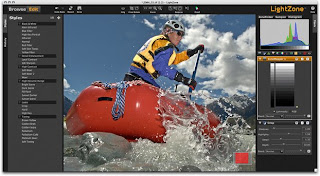
LightZone provides a unique visual approach to digital photo editing, allowing you to focus on what you want to do with your photos, not how you do it. All operations are live and have an immediate effect upon which you can make new editing decisions. No more guess work. The software allows you to enhance photos in a simple and natural way, without the steep learning-curve found in many other software programs.

From editing RAW photographs or JPEG, TIFF or DNG photos, LightZone is a complete digital image editing application in a single software package. LightZone's intelligent editing features help adjust exposures, boost overall color, correct color shifts and white balance errors, selectively sharpen or blur images or parts of images, remove dust spots and reduce the noise often found in high-ISO digital images.


LightZone is the only photo-editor where every operation is a smart operation.
No more tweaking of confusing histograms, no more guess-work; a single slider in LightZone can adjust any of the 16 exposure values in an image: individually, grouped or selectively.

Instant Styles:

High Dynamic Range FlagNew
High Dynamic Range sunset FlagNew
Black and White Toning FlagNew
Blue filter Black and White FlagNew
Contrast and Pop FlagNew
InfraRed Look FlagNew
Lomo Look FlagNew
Palladium Toning FlagNew
Sepia FlagNew
Wow FlagNew
Soft Wow FlagNew
Page Soft Wow FlagNew
Shadows opener FlagNew
Alien InfraRed FlagNew
Style creation FlagNew
Import and Export Styles FlagNew

Intelligent Tools:

Relight tool FlagNew
Colorized Black and WhiteFlagImproved
Hue/saturationFlagImproved
Noise reductionFlagImproved
Modify live RAW adjustmentsFlagImproved
Selections and MasksFlagImproved
White BalanceFlagImproved
ZoneMapper
Sharpen
Blur
Color Balance
Clone and stamp
Red-eye removal

Powerful Workflow:

Embedded edit tool-stack in JPEG FlagNew
Selective edit history FlagNew
Metadata editor & preference FlagNew
Lift and batch-apply Styles FlagNew
Image stack and unstack FlagNew
Smart select FlagNew
Send and preference FlagNew
Help and advice FlagNew
Convert FlagImproved
Drag-and-drop FlagImproved
Photo browser FlagImproved
Batch processing FlagImproved
New camera RAW supportFlagImproved
Rank and sort
Soft Proof
Printing with automatic resize
RAW selective editing
Lightroom integration
iPhoto® integration
Aperture integration

Download - RapidShare

Thinstalled Adobe Photoshop Lightroom 2 free download

Thinstalled Adobe Photoshop Lightroom 1.4.430968

Adobe Photoshop Lightroom 1.4.430968Adobe Photoshop Lightroom 1.4.430968 - Thinstalled | 22.2 MB

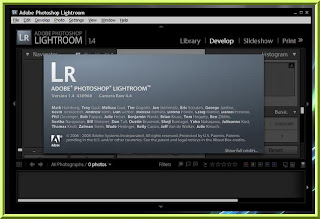
Adobe® Photoshop® Lightroom™ software is the professional photographer's essential toolbox, providing one easy application for managing, adjusting, and presenting large volumes of digital photographs so you can spend less time in front of the computer and more time behind the lens. So you can spend less time sorting and refining photographs, and more time actually shooting them. Its clean, elegant interface literally steps out of the way and lets you quickly view and work with the images you shot today, as well as the thousands of images that you will shoot over the course of your career. Because no two photographers work alike, Adobe Lightroom adapts to your workflow, not the other way around. Lightroom lets you view, zoom in, and compare photographs quickly and easily. Precise, photography-specific adjustments allow you to fine tune your images while maintaining the highest level of image quality from capture through output. And best of all, it runs on most commonly used computers, even notebook computers used on location.


Changes in Lightroom 1.4:
• Fixed reading files from Nikon D100 camera, improved support for the camera Olympus E-3. Also, improvements in the Lightroom Export SDK - a tool for developers to create plug-ins for the export of Lightroom. The errors in the plug for downloading pictures to an FTP server. Added support cameras Canon 1Ds Mark III, Nikon D3, Nikon D300, Olympus E-3 and others...

Download - RapidShare

Portable Adobe Photoshop CS3 free download

Portable Adobe Photoshop CS3

Adobe Photoshop CS3 Portable | 56.7 MB

Adobe Photoshop CS3 Portable Edition - Only 56.7Mb. No Installation Required. You can run it from a USB drive.

Create powerful images with the professional standard.
The essential software for perfecting your images, Adobe® Photoshop® CS3 now offers productivity and workflow enhancements, powerful new editing tools, and breakthrough compositing capabilities.


Download - RapidShare
Download - MegaUpload
Download - DepositFiles

Password : www.theviperfiles.com

css style master free download mediafire


What is Style Master?

Style Master is the leading cross platform CSS development tool. Much more than just a text editor, Style Master supports your workflow - including
  • creating style sheets based on your HTML
  • live CSS editing of PHP, ASP.NET, Ruby and other dynamically generated sites
  • editing CSS via ftp
and much much more.
Fantastic product, I've gone from knowing nothing about web-design, to creating compliant XHTML and CSS.....Really, I have found Style Master an easier product to use than Golive or Dreamweaver, particularly because of the excellent hands-on tutorial included, and the user-intuitive interface.

What can Style Master do for you?

Built with our extensive knowledge of CSS and web development going back well over a decade, support for CSS3 and HTML5, killer features like XRAY, we honestly believe there's no better development tool for CSS around.
We could go on about the features of Style Master. From beginner to expert, Style Master will make working with CSS more efficient, more productive, and more enjoyable. But why not just download our demo? Fully featured for 30 days, you can keep using it forever in lite mode after that. And, for beginners it includes our renowned hands-on tutorial to get you up to speed with CSS faster than anything else.
No other software helps you design, code, debug and even learn CSS better. Period.

http://adf.ly/5fkNO

Pixarra TwistedBrush Pro Studio free download mediafire

Pixarra TwistedBrush Pro Studio v18.0


Labels: Image Editor - Viewer
TwistedBrush Pro Studio - digital paint software with complete natural tools - oils, acrylics, pastel, graphite, etc. Software for artists with the simplicity that other software can not. TwistedBrush Pro Studio - creating art the way orthodox, simple and fun!

Simplicity without sacrifice functionality, powerful enough for the professional artist yet simple enough for beginners; was built to be easy to use TwistedBrush Pro Studio is a versatile drawing tools and today's most powerful. TwistedBrush Pro Studio has more than 3,000 brushes, along with features that artists love to use: layers (layer), the material realistic media, photo cloning, tracing, masks, particles, filters, y script recording, scripts to AVI, drawing support, brushes, patterns, pattern, compatible scanners, image editing, drawing guides, reference image, which open, dynamic palettes and much more other.

TwistedBrush Pro Studio runs on all versions of the Windows operating system and is designed for use in all areas of digital art, including art using natural materials, photo retouching, layout photos, photo cloning to your image looks like drawn by hand, religious art, manga, and even 3D like painting with the tools to create incredible movement.
Changes in version 18.12:

- Added - Layer locking is now possible. A layer can either be not locked, alpha channel locked or fully locked. Previously no alpha channel locking was supported.
- Added - The Hue adj, Sat adj and Luminance adj brush effects when exposed in the Brush Controls will have a color preview bar.
- Added - Pro Nu Puddy Paint to the Art Pro - Nu Media ArtSet.
- Changed - The Pro Img Shp Basic brush has the erase option removed since it is not compatible with the brush layer options used in that brush.
- Fixed - Pattern modifier ArtSets were appearing in the wrong category in the Brush Selection dialog.
- Fixed - Brush modifier ArtSets were not always appearing in the in the ArtSet list while in the ArtSet Edit dialog and they were also appearing in the Brush Select dialog when they should not.
- Fixed - Numerous Pro brushes where not working properly. Specifically those with optional features such as Directional Rotate On / Off for Image Brushes.
Pixarra TwistedBrush Pro Studio v18.0
(Change the. Svnn to. Rar and extract)

Xara Xtreme 5 Pro free download mediafire

Xara Xtreme 5.1.0.9131 and Pro


Labels: Image Editor - Viewer, Web Design
Xara has released a new version of Xara Xtreme software, graphics processor, the world's fastest.

Xara Xtreme Pro is simply the best software by Hao for everything painted pictures every day, is ideal for both print and online downloads.

If you're looking for drawing software then Xtreme Pro is the perfect solution for everything from simple logos to the eye-catching illustrations. Xara Xtreme Pro is simply the best graphics software for all daily needs painting images, ideal for both print and online downloads.

If you regularly work with photos then Xtreme Pro will meet all your needs from enhanced automation features with a simple click to refine tasks unique images, including Updated support for raw image formats (rAW). If you are looking for a software to create web graphics then Xtreme can produce for you, from the button for smart and beautiful as the eye-catching Flash.

Regardless of whether you need any graphics and level of technology to it technical, user-friendly interface with quick speed processing of Xara Xtreme Pro will also help you freely express their creativity her.
Homepage: http://www.xara.com/us/products/xtreme/features/
Download Xara Xtreme | 50.69 MB
Download Xara Xtreme Pro | 69.95 MB


TurboCAD Professional 16.1 free download rapidshare

TurboCAD Professional 16.1 Build 47.5


Labels: 3D Software, Image Editor - Viewer
TurboCAD Pro 16 is the premium design software solution that’s delivered exceptional value to both 2D and 3D users for over twenty years. It’s complete 2D drafting and 3D surface and solid modeling toolset includes many of the most advanced technologies in the industry - ACIS® solid modeling, D-Cubed constraints, and Lightworks® photorealistic rendering. Expert tools for architectural and mechanical design offer greater productivity and enhanced workflow, as does interoperability with nearly 40 CAD and graphic formats. TurboCAD’s complete set of drawing, editing, and modification tools, along with annotation tools, help you quickly draft and document your designs with outstanding flexibility. What-if analysis is made easy with constraints and is a tremendous time saver for testing variations on your designs. Constrained models, when used in conjunction with the Drafting Palette, can dynamically accelerate all levels of the design and detailing process.

TurboCAD Pro offers the benefits of modeling with both Surfaces and (ACIS®) Solids allowing for optimal flexibility in design. When coupled with LightWorks® Photorealistic Rendering you’re sure to impress clients and associates with your dramatic presentations.

TurboCAD Pro offers toolsets for design tasks common to architectural design, mechanical design, and woodworking, allowing for enhanced productivity in these domains. Expanded versions of these toolsets, as well as a CAM plug-in, are sold separately to further assist experts in these fields.

TurboCAD Pro has always offered excellent file compatibility. Nearly 40 industry standard CAD and graphic formats are supported, including native AutoCAD and AutoCAD LT files (DXF/DWG), now with the ability to export XREFs. Google SketchUp support has also been greatly enhanced, and export to SketchUp (.SKP) file format has been added. A new Database Connect Palette has also been added allowing TurboCAD Pro users to set up a data link to any data source.
Free Download TurboCAD Professional 16.1 Build 47.5 | 225 MB from Rapidshare
Serial EX64-4022-2901-2783
Activation code (by phone) 8539-7C9F-BBB5-A361


Autodesk Autocad free download mediafire

Autodesk Autocad 2011 x86 x64


Labels: 3D Software, Image Editor - Viewer
With AutoCAD software, Autodesk has just one goal in mind: increasing your productivity. AutoCAD 2009 boosts efficiency with customizable and extensible user interface enhancements that increase overall drafting productivity by decreasing the number of steps needed to reach a command. Newly designed, innovative features simplify working with layers and help make new users productive as quickly as possible. Easy-to-use navigation tools make finding your way around 3D models a snap. Move to new highs of productivity with AutoCAD software.

Autodesk AutoCAD is a CAD (Computer Aided Design or Computer Aided Drafting) software application for 2D and 3D design and drafting, developed and sold by Autodesk, Inc. Initially released in late 1982, Autodesk® AutoCAD was one of the first CAD programs to run on personal computers, and notably the IBM PC. Most CAD software at the time ran on graphics terminals connected to mainframe computers or mini-computers.

Design and shape the world around you with the powerful, flexible features found in AutoCAD® software, one of the world’s leading 2D and 3D design applications. With robust 3D tools that can create almost any shape imaginable, AutoCAD helps you intuitively explore design ideas. It offers innovations that can increase design and documentation efficiency, and enables you to more securely, accurately, a nd seamlessly share those designs with colleagues. Powerful programming tools and thousands of available add-ons provide the ultimate in flexibility, helping you customize AutoCAD software for your specific needs. With these capabilities and more, AutoCAD delivers the power and flexibility needed to take documentation and design further.

System Requirements:
- Intel® Pentium® 4 processor, 2.2 GHz Recommended
- Microsoft® Windows Vista™, Windows® XP Home and Professional (SP2), Windows® 2000 (SP4)
- 512 MB RAM
- 750 MB free disk space for installation
- 1024x768 VGA with True Color
- Microsoft® Internet Explorer® 6.0 (SP1 or higher)
Installation:
- Unpack, burn or mount with D-Tools & install.
- Check Crack/install.txt on DVD

Free Download Autodesk Autocad 2011 x86 x64 from Mediafire
Pass Unrar: softvnn.com

ACDSee Pro 5.1 free download


ACDSee Pro 5 is a complete photo editor and photo management solution. Designed for professional photographers and advanced amateurs who shoot DSLR and work with RAW files, ACDSee Pro 5 offers a state-of-the art RAW processor for non-destructive photo editing and RAW image conversion.

With Manage, View, Develop, Edit and Online modes, it is the only solution that allows photographers to carry out all essential tasks of the photography workflow and digital asset management (DAM) in one place. ACDSee Pro 5 quickly gets you back to doing what you do best: shooting amazing photographs.

Create stunning HDR imagesLCE (Lighting and Contrast Enhancement) single-exposure HDR algorithms powering Pro's Lighting tool accurately and intelligently stretch the dynamic range of your photos, making them incredibly realistic or atmospheric.

Dodge and BurnTarget shadows, midtones or highlights for lightening or darkening with the Dodge and Burn tool, or selectively add vibrance, saturate or desaturate areas of interest.

Adobe Photoshop 7.0 Full Version free download


Adobe Photoshop 7.0 software, the professional image-editing standard, helps you work more efficiently, explore new creative options, and produce the highest quality images for print, the Web, and anywhere else. Create exceptional imagery with easier access to file data; streamlined Web design; FASTER, professional-quality photo retouching; and more.adobe distiller 7.0 Adobe Photoshop 7.0 helps you stay competitive with innovative tools that deliver new ways to express your creativity and work efficiently. With Photoshop 7.0, you can more easily produce exceptional imagery for print, the Web, wireless devices, and other media. Photoshop 7.0 rounds out its comprehensive toolset with new capabilities to meet any creative or production demand and to handle the widest variety of image-editing tasks in the most efficient way. With enhanced Web features, you can instantly make Web page elements transparent simply by knocking out one or more colors; create dithered transparencies; manage Web page rollovers and animations; and create more sophisticated Web rollovers. Powerful new tools help you explore your creativity without limits so you can more easily meet the Multimedia demands of today's market. Simulate traditional painting techniques (including pastels and charcoal) with dry and wet brush effects and much more...

Adobe Photoshop CS5 Extended Full Version free download

What is Photoshop Extended?
Adobe® Photoshop® CS5 Extended software is the ultimate solution for advanced digital imaging, delivering everything in Photoshop CS5 plus breakthrough tools for 3D and motion editing. And now, use it with creativity- and productivity-boosting mobile device apps as they become available.1


What's new in Photoshop Extended?
Content-Aware Fill
Remove any image detail or object and watch as Content-Aware Fill magically fills in the space left behind. This breakthrough technology matches lighting, tone, and noise so it looks as if the removed content never existed.

Enhanced 3D realism and rich materials
Enhance 3D objects and designs with easy shadow creation, image-based lights, and materials like glass and chrome. Explore with different focus points in your 3D scene by adjusting the range for depth of field. 
 
3D extrusions with Adobe Repoussé
Create stunning 3D logos and artwork from any text layer, selection, path, or layer mask with Adobe Repoussé technology. Twist, rotate, extrude, bevel, and inflate your designs.  

Photoshop Touch apps for iPad
Explore exciting ways to interact with Photoshop CS5 from your iPad using apps from Adobe and the developer community. Use your fingertips to mix colors, paint beautiful works of art, activate Photoshop tools, and more1.
How to Install Adobe Photoshop CS5 Full Version
For English Language
Apply The Crack Given according to your OS.
Instruction: Go to your Photoshop Installation Directory (Most Probably " C:\Program Files\Adobe\Adobe Photoshop CS5 " and Replace The amtlib.dll with the new one given in the crack
and Crack is given in Adobe Photoshop CS5 Folder.

For URDU Language
1. Setup Run
2.Select Trail and language Select
3. jab Install ho jayi to Adobe Photoshop CS5 ko Her gaiz run mat ki jiye ga.
4.Crack Folder mian ja ker is file ko "amtlib.dll" Copy ker ki wahan paste kare jahan ap ni Adobe Photoshop CS5 ko Install kiya hai.
5. Adobe Photoshop CS5 Full Version Run

Corel Draw Graphics Suite X5 Full Version free download


Graphic Design Software for Striking Visual Communication
Put the power of CorelDRAW® Graphics Suite X5 behind your ideas and make a bold impact across any media. This versatile graphic design software has it all—vector illustration, page layout, photo editing, tracing, Web graphics and animation in one tightly integrated suite. Get ready to do more than you thought possible!


Overview
Creativity and power come together in CorelDRAW Graphics Suite X5. With increased speed, more accurate color control, enhanced vector illustration tools and new Web capabilities, it’s a must-have for any designer. Get going quickly with new professionally designed templates and learning materials. Find graphics, fonts and images on your computer faster than ever with new Corel® CONNECT™. Re-purpose and share your creations anywhere with expanded file compatibility. Then output everywhere, from Web banners and animations, to logos, custom signs and more.
  • More speed with new multi-core support
  • More rich content and professional templates
  • More learning tools, video tutorials and expert tips
  • More compatibility, with support for over 100 file formats
  • More color control and consistency
  • More Web capabilities, including Flash animation support
  • More output options for print, Web, digital signs and more
All-in-One Professional Graphics Suite
Find everything you need for professional graphics illustration, layout, tracing, photo editing, Web graphics and animation in one complete suite of integrated applications that is easy to learn and use. 

High-Value Digital Content
Enrich your designs with over 1,000 professional fonts, including Helvetica®, Garamond® and Frutiger® fonts for the first time ever. Plus, take advantage of high-value digital content, such as premium clipart, royalty-free photos and vehicle templates.

Market-Leading File Compatibility
Re-purpose and share your creations anywhere with market-leading file compatibility. Import and export files quickly and easily with dozens of supported file formats, including PDF, JPG, PNG, EPS, AI, TIFF, PSD and DOCX.

Easy to Learn and Use
Start smoothly and learn quickly with built-in learning tools, valuable video tutorials, design insights from experts and a visually rich, online guidebook. (A hard cover, full-color, printed guidebook is included with the box version.)

Precise Control and Easy Sharing
Output to a broad variety of media, from distinctive logos and signs, to striking marketing materials, Web graphics, billboards and car wraps. Export options let you compare file formats before export, so you can optimize your settings to achieve the highest file quality. 

CorelDRAW Graphics Suite X5—Graphic Design Software that brings new meaning to Visual Communication.

Adobe Macromedia Freehand MX 11.0 2 Full Version free download


ABOUT FREEHAND MX
Macromedia FreeHand MX is the easy-to-use solution for concept and design of visually rich graphics for print and web. A powerful collection of illustration and drawing tools lets designers realize maximum creative vision, while extensive editing, layout and publishing functions provide an open, streamlined workflow for multi-publishing design. Flexible tools for organizing projects, adding interactivity, and publishing to SWF make FreeHand the best tool for developing layouts, click-throughs, and Macromedia Flash® content.

Adobe Illustrator CS5 Full Version free download


What is Illustrator?
Adobe® Illustrator® CS5 software helps you create distinctive vector artwork for any project. Take advantage of the precision and power of sophisticated drawing tools, expressive natural brushes, and a host of time-savers


True to its name, Adobe Illustrator began life as a standard-bearer for vector-based illustration and design, but fell behind the times because it lacked the Web output of competitors, such as Macromedia Freehand. Eager to shed Illustrator's stodgy image as a print-only application, Adobe has taught this old dog many new tricks. Beginning with version 9, Illustrator has embraced the Web while continually adding new drawing tools and productivity features.

Illustrator 10.0 is geared toward achieving that ever-important balance between image size and quality. You can edit SVG (scalable vector graphics), slice and map your images, and make use of symbols for repeating graphics. This new version also delivers better layout tools, including snap-to grids, Smart Guides, and the Align palette.

Graphic artists will appreciate the mass of new creative tools, including warp effects; liquefy controls; arc, grid, and shape tools; editable drop shadows, glows, and other effects; and editable compound shapes. Timesaving technology, such as data-driven graphics (which allows for scripted generation of design variations), should appeal to pragmatic developers.


With all these features, as well as native support for Mac OS X's preemptive multitasking and the G4's Altivec technology, Illustrator is truly a graphic designer's best friend. Illustrator is not for everyone. As is typical for Adobe products, the system requirements and learning curve can be daunting, and strict limitations on the demo prevent saving, exporting, or printing. That said, this program offers features and functionality that can't be matched, and is a must-have for anyone who is serious about professional-quality digital illustration.


Adobe Illustrator CS5 convert bitmaps to vector artwork and paint more intuitively. It saves time with intelligent palettes and optimized workspaces. Plus, tight integration with other software allows you to produce extraordinary graphics for print, video, the Web, and mobile devices.


This is Torrent Download file. You must be Install µTorrent in your System.

 Download